
Article content
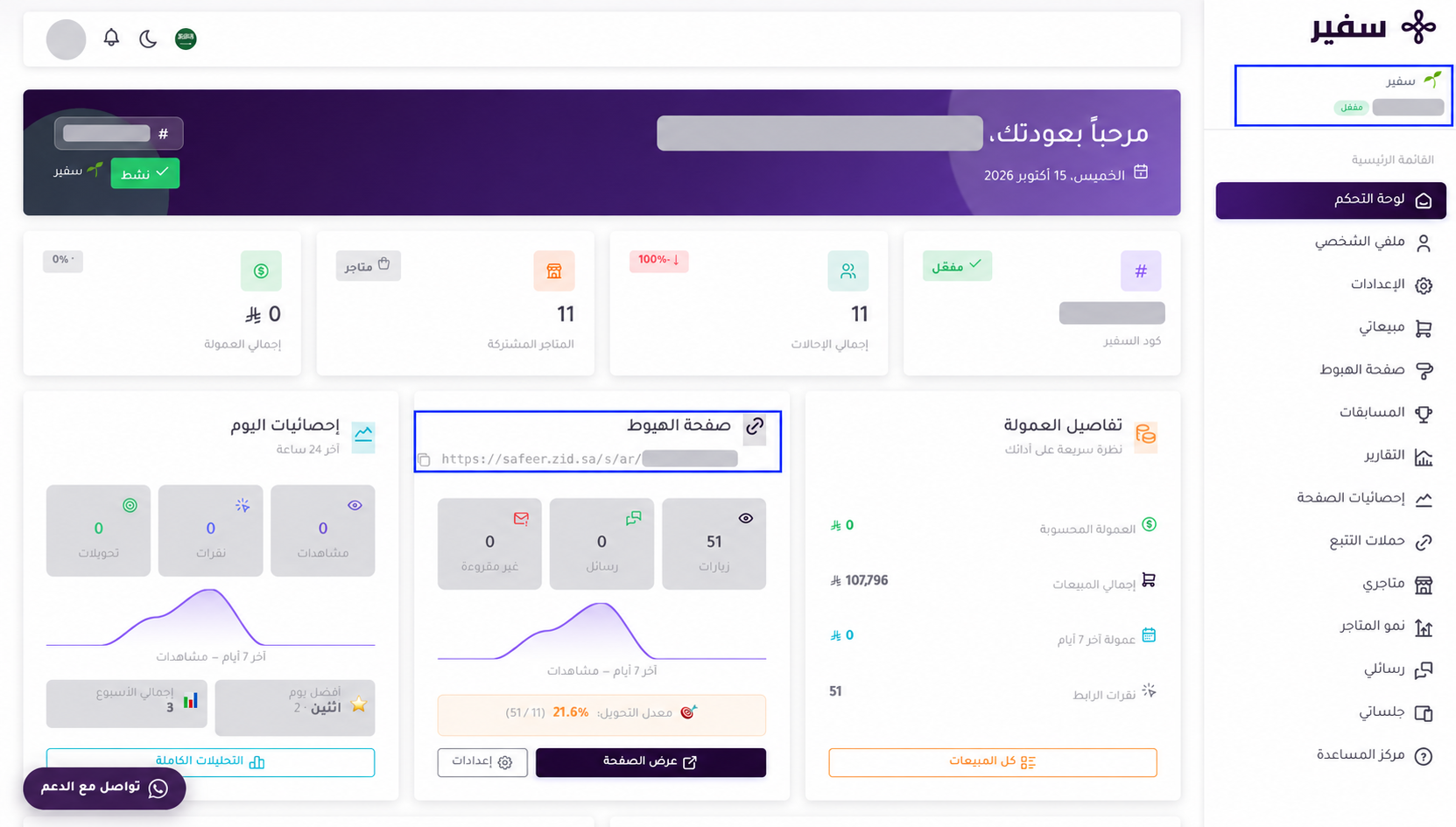
Every Safeer Partner receives a personal landing page and a referral code linked to their account. Understanding the purpose of each one helps you guide merchants correctly and improve the likelihood of proper referral attribution when the program’s eligibility requirements are met.
What is your landing page?
Your landing page is a dedicated page created for you in the Safeer Zid program. When you share your landing-page link with a merchant, they can learn about Zid and begin registering or subscribing.
Use your landing-page link in the following situations:
-
Social media posts and digital content.
-
The bio section of your social-media accounts.
-
WhatsApp messages or email.
-
Advertisements and marketing campaigns.
-
Any channel where the merchant can click a link.
What is a referral code?
A referral code is a unique code linked to your account. The merchant enters it in the designated field during registration. It may also be associated with an offer or discount when available, subject to the program’s terms.
Use your referral code in the following situations:
-
When communicating with a merchant directly.
-
At events or meetings where sharing a clickable link is difficult.
-
In content formats that do not allow direct links.
-
As an additional confirmation step when sharing your landing-page link.
What is the difference between a landing page and a referral code?
Your landing page introduces the merchant to Zid and guides them toward registration. Your referral code connects the registration to your account when the merchant enters it during registration.
Important: The referral code takes priority for referral attribution. If a merchant visits one Safeer Partner’s landing page but uses another partner’s referral code, the referral will be attributed to the owner of the code used.
How do you use your landing page and referral code together?
To provide a clear experience for the merchant, share your landing-page link and referral code in the same message:
You can learn about Zid and begin registration through my landing page:
[Your landing-page link]
When registering, use the following referral code:
[Your referral code]
This way, the merchant reaches your landing page and can use your code during registration.
Practical example
If you publish content on social media, add your landing-page link to your profile bio or include it in your advertisement.
If a merchant contacts you directly and asks how to register, send them both your landing-page link and referral code. Make sure they know to use your referral code during registration.
Important notes
-
Share only the landing-page link and referral code linked to your account.
-
Send the link or code before the merchant begins registration.
-
Do not ask a merchant to use another partner’s referral code, as the referral will be attributed to that code’s owner.
-
Sharing your landing page or referral code alone does not guarantee a commission. Commission eligibility remains subject to the program’s approved requirements.
Summary: Use your landing-page link to guide merchants and introduce Zid, and use your referral code to confirm that the registration is attributed to your account. When sharing both, make sure the merchant uses your referral code.