
To join the Safeer Zid program, go to the Safeer portal and follow the steps below.
Start your registration
-
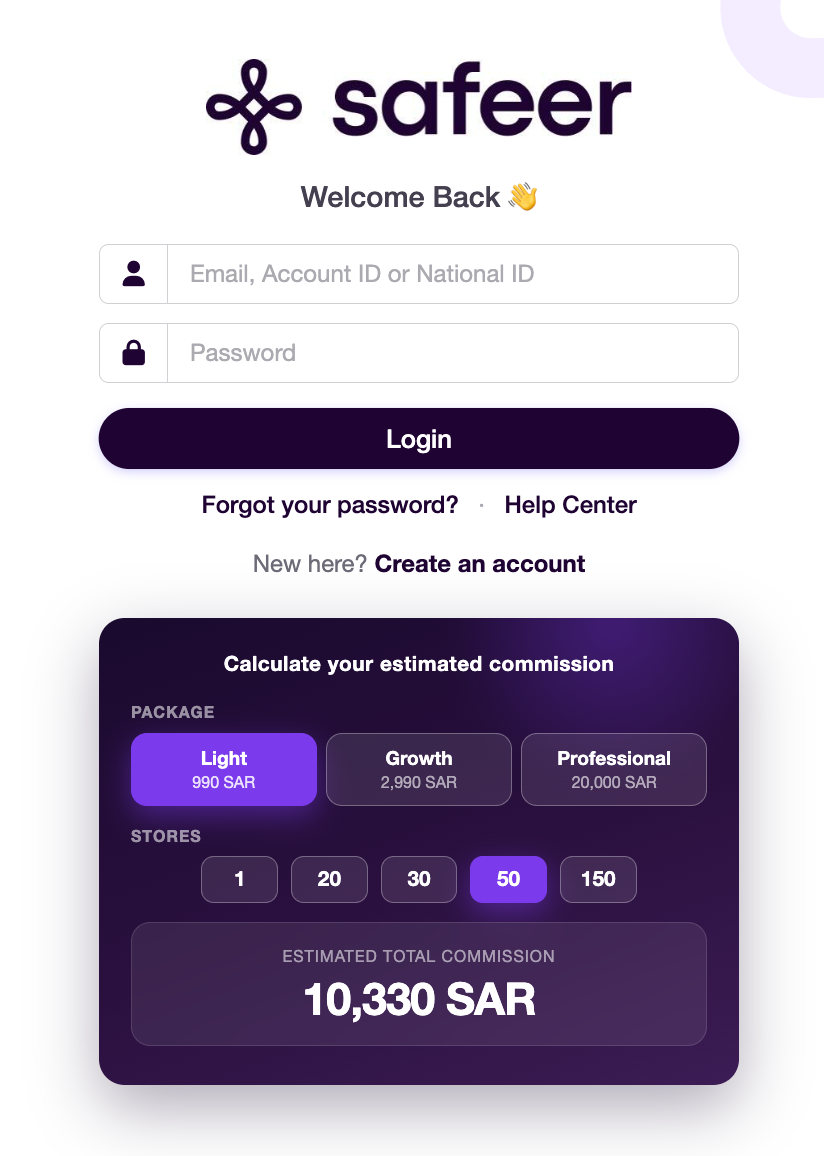
Go to the Safeer Zid portal and click Create an account below the login form.
-
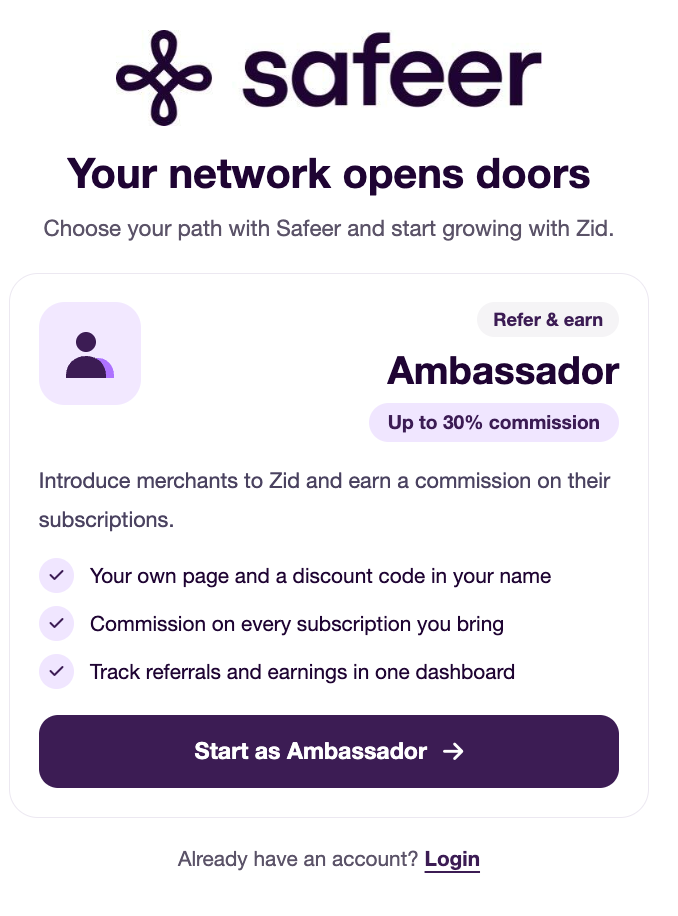
On the account type selection page, choose Safeer by clicking Start as a Safeer.
Complete your application
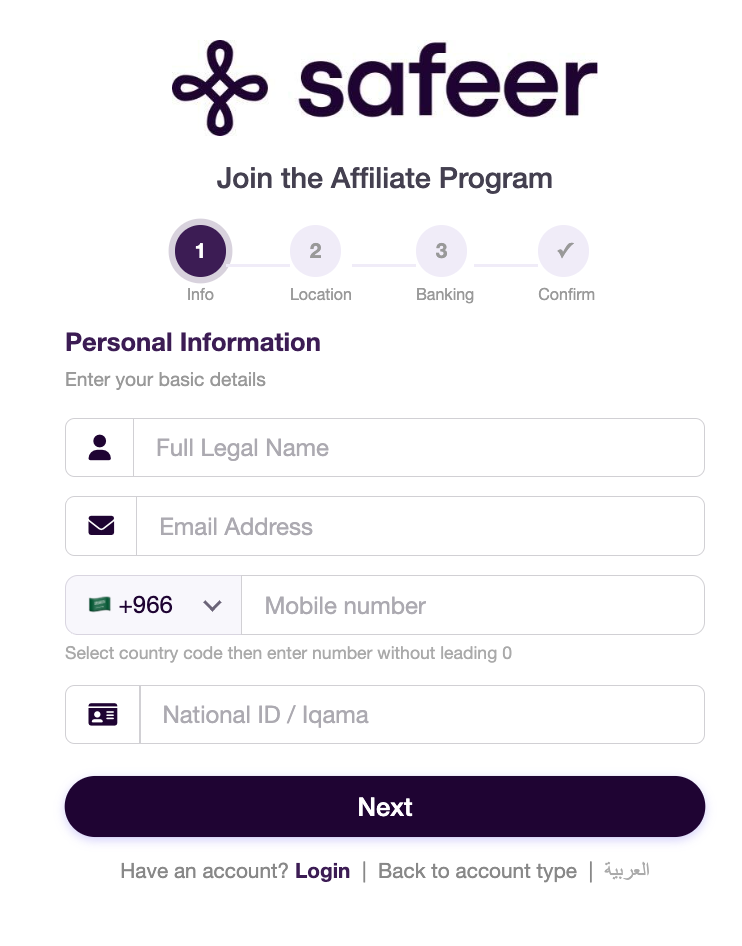
1. Enter your personal details
Enter your full name, email address, mobile number, and national ID or residency ID number. Select your country code and enter your mobile number without the leading zero. Then click Next.
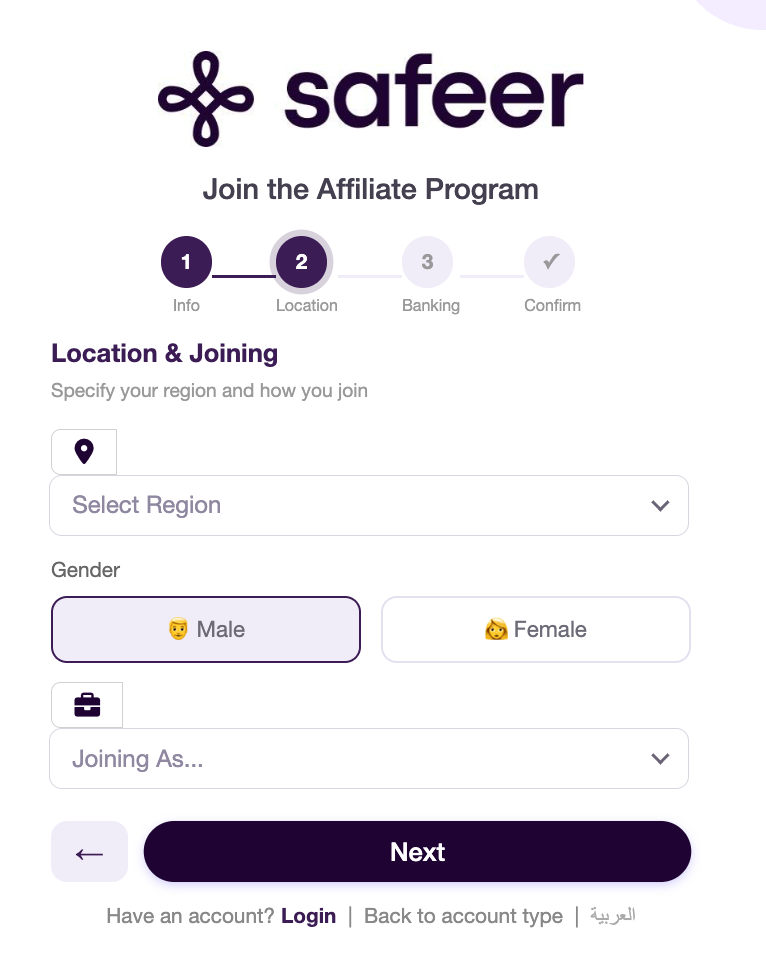
2. Select your location and how you want to join
Select your region and gender, then choose how you want to join from the dropdown menu. Click Next to continue.
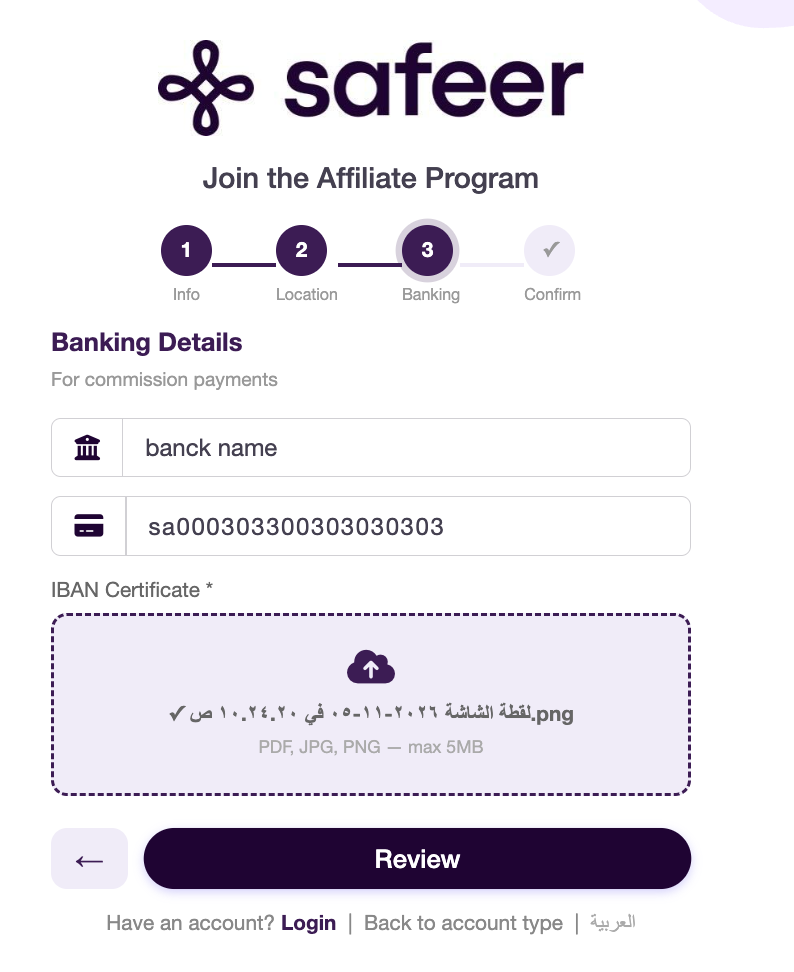
3. Enter your bank details
Enter your bank name and IBAN, then upload your IBAN certificate. These details are used to pay your commissions. The certificate must be a PDF, JPG, or PNG file no larger than 5 MB.
Once you have entered your details and uploaded the certificate, click Review Application.
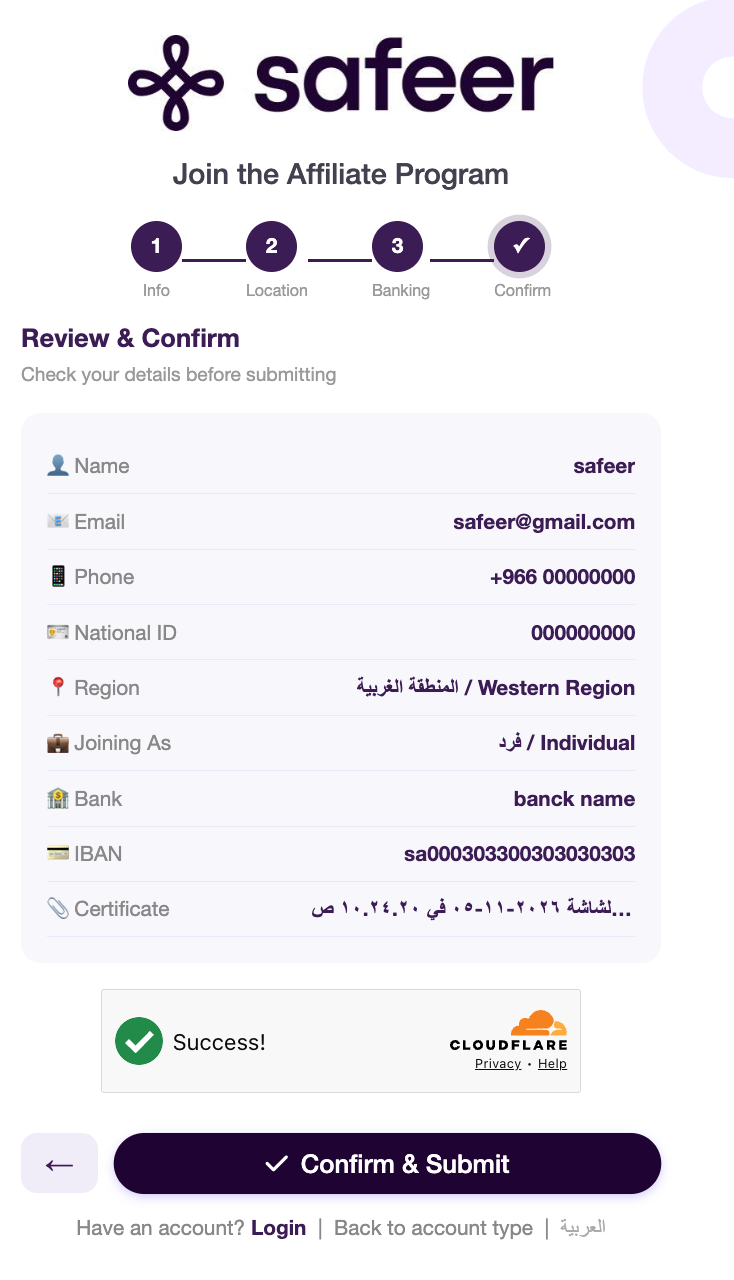
4. Review and submit your application
Check that your personal and bank details are correct and that your IBAN certificate is attached. If you need to change anything, use the back arrow to return to the relevant step.
Once you have reviewed your details and completed the verification on the page, click Confirm and Submit Application.
Note: Your application to join the Safeer Zid program will be reviewed within one business day of submission.